
0.4 First Login & Dashboard Overview
Get oriented with the dashboard, navigation, and mobile-device expectations.
🧭 Quick Guide
Main page: The Projects Dashboard
Main actions: Start a new project, continue a project, or open quick actions from the vertical-dots button
Account panel: Use the menu button in the top-left corner to open organization, plan, billing, and sign-out actions
What you see first
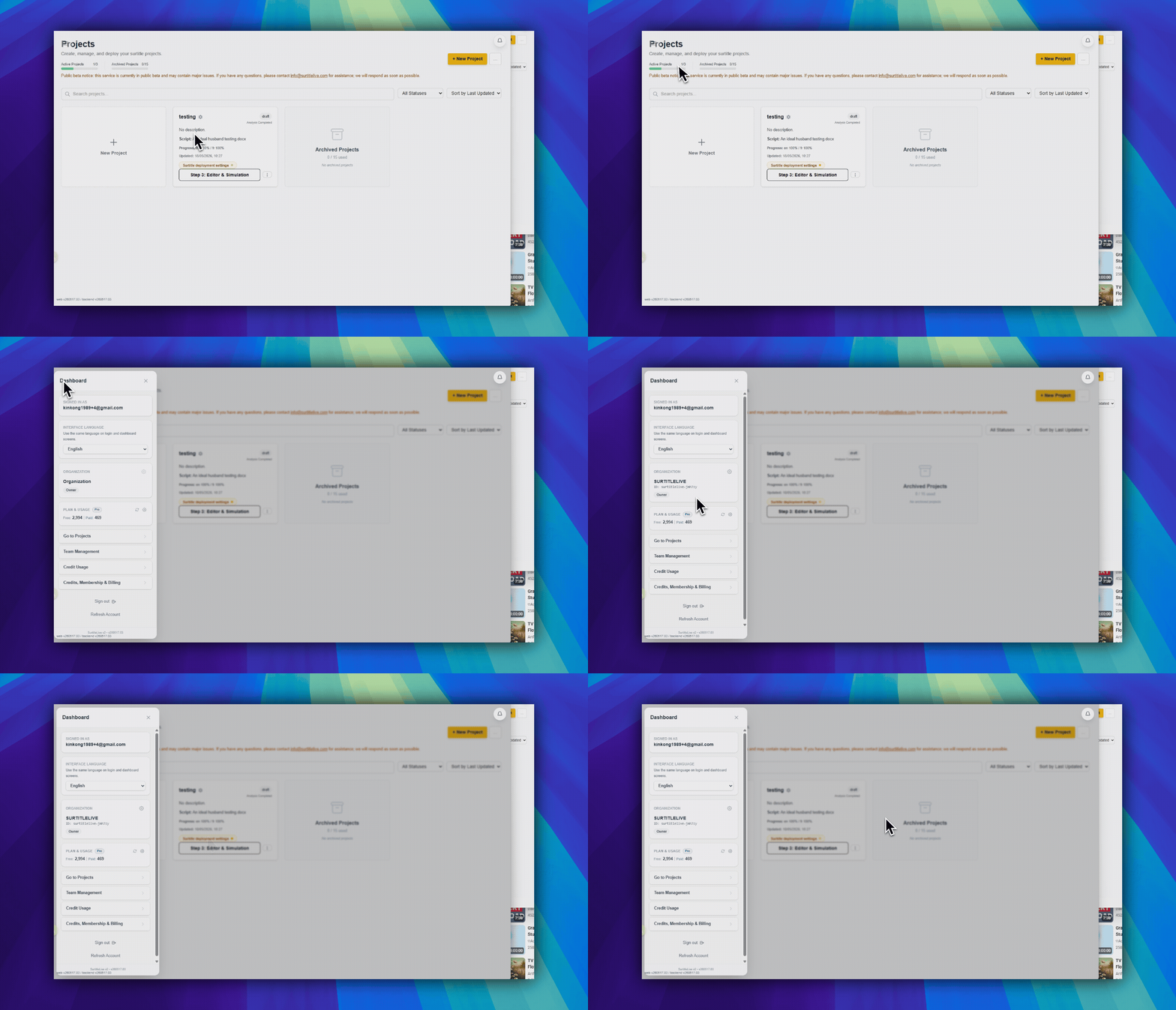
After login, you land on the Projects Dashboard. The main area is a grid of project cards.
- The first card is the dashed New Project card with a large plus icon.
- Each project card shows the project name, status, script summary, progress, and updated time.
- The large button at the bottom of a project card is the main next-step button for that project.
Open the dashboard panel
Click the floating menu button in the top-left corner. This opens the dashboard panel.
- The panel shows your signed-in email.
- It shows your organization name and role.
- It links to Projects, Credit Usage, and Credits, Membership & Billing.
- Owners can also open organization settings from the gear button in the organization card.
Choose the next action
Use the project card that matches your situation:
- Use
New Projectif you are starting from scratch. - Use a project card's main button if you want to continue the next workflow step.
- Use the vertical-dots
quick actionsbutton if you need upload, analyze, editor, archive, delete, or deployment settings.
FAQ
Common questions for this workflow, based on the current Pockitle Cue system.
Why don't I see Team Management in the menu?+
Team Management is role- and plan-dependent. It is intended for Pro and Pro+ organizations and may not appear for lower tiers or restricted roles.
Can I use Pockitle Cue on a mobile device?+
Yes for viewing and basic management, but editing and live operation work better on a larger screen.
Onboarding Workflow
Continue In This Workflow
Account setup, sign-in recovery, first project steps, and invitation acceptance for new users.
0.5 Creating a New Project
Create a project, choose its status, and stay within active and archived project limits.
0.6 Managing Your Projects
Open, edit, archive, unarchive, or delete projects from the dashboard.
1.2 Uploading a Script
Upload a DOCX theatre script to Pockitle Cue, check supported file, unit, and character limits, then prepare it for analysis and editable subtitle cues.