
0.3 How to Reset Your Password in Pockitle Cue
Reset your password after clicking the email link and understand how the shared sign-in action page works.
🔐 Quick Guide
Start here: Sign In → Forgot Password?
Email link destination: The current email-action page handles both password reset and email verification
Reset flow: Verify link → set new password → return to login automatically
Verification flow: Some emails also open the same page for email verification
Where the Flow Starts
If you are looking for where to reset your password after clicking the email link, the flow starts from the Sign In page. Use Forgot Password?, enter your email address, and Pockitle Cue sends a reset email without confirming whether that address has an account.
Why this matters: The generic success message helps avoid account-enumeration leaks while still guiding real users to check their inbox.
What the Auth Action Page Does
The current email-action page is /auth/action. It is not only for password resets. It also handles email-verification links, and the page changes what it shows based on the link you opened.
- Password reset: Checks the reset link first, then shows the new-password form
- Email verification: Waits for your explicit
Verify Emailclick, then shows a success state with a continue or login button - Invalid or expired code: Shows an error state instead of leaving the page blank
Password Reset Requirements
The reset form checks the new password before it will submit:
- Minimum 8 characters
- Uppercase, lowercase, and number checks
- Common-password and weak-pattern screening
- New password and confirm password must match
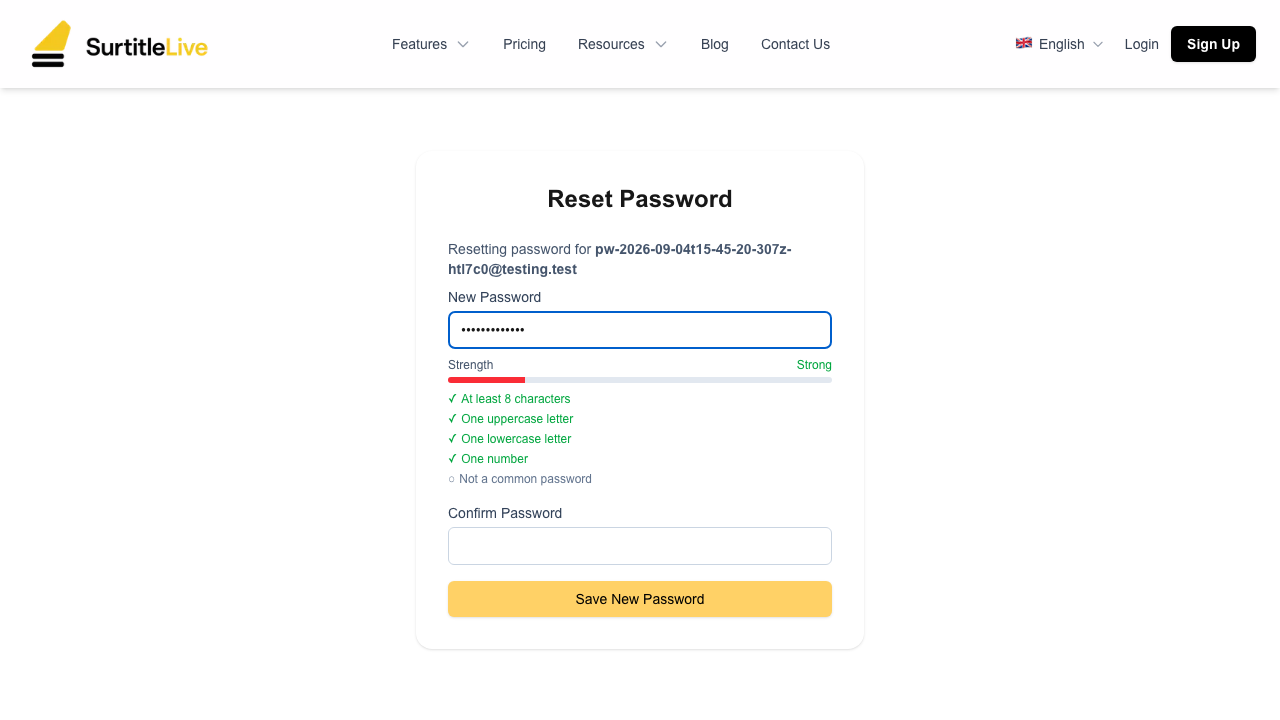
Current Reset Flow
- Request a reset link from the Sign In page
- Open the email and click the reset link
- Wait for the action page to validate the code
- Enter a new password that satisfies the strength requirements
- Submit the form and return to login with the new password
If the Link Fails
- If the action page says the code is invalid or expired, request a fresh email instead of reusing the same link
- If the link opens the email-verification version of the page, finish that step first and then sign in normally
- If a security or session message redirects you back to login, sign in again to start a clean session
FAQ
Common questions for this workflow, based on the current Pockitle Cue system.
How do I reset my password after I click the email link?+
The email link opens the email-action page, which checks the reset link first and then shows the new-password form if the link is still valid.
Does the same action page also handle email verification?+
Yes. The same page currently handles both password-reset and email-verification links, with different screens depending on the link you opened.
Onboarding Workflow
Continue In This Workflow
Account setup, sign-in recovery, first project steps, and invitation acceptance for new users.
0.4 First Login & Dashboard Overview
Get oriented with the dashboard, navigation, and mobile-device expectations.
0.5 Creating a New Project
Create a project, choose its status, and stay within active and archived project limits.
0.6 Managing Your Projects
Open, edit, archive, unarchive, or delete projects from the dashboard.