
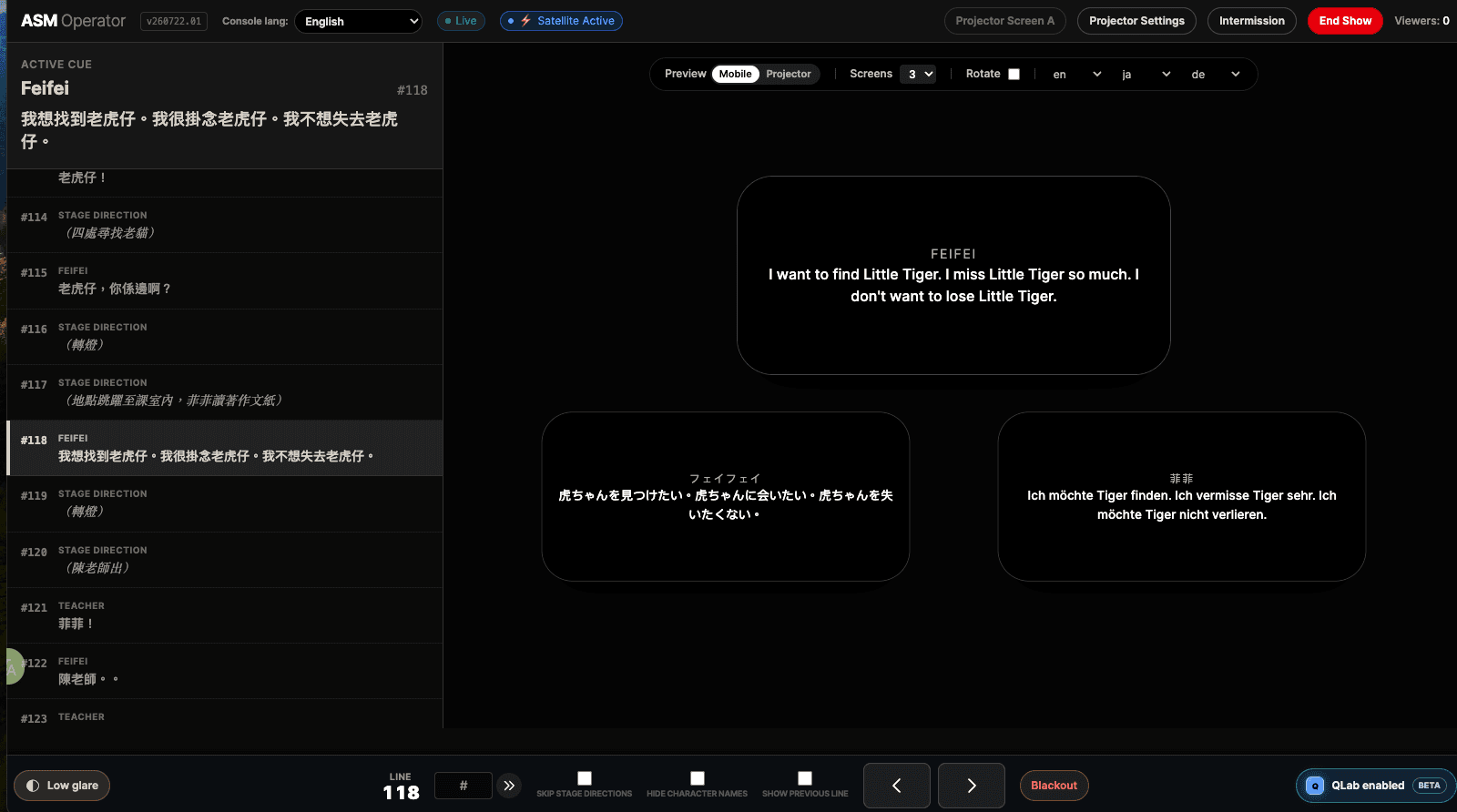
Operator cockpit

Operator Cockpit for Live Surtitles

Live subtitles need more than a play button. The operator needs a clear cue list, fast recovery when the show moves, and confidence that projection and audience-phone outputs are following the same live state.

Where an operator cockpit fits

  • - Scripted performances where a person advances cues in time with actors, singers, or stage action.
  • - Shows with rehearsal edits, possible skipped lines, or moments that need jump recovery.
  • - Small teams that need a simple operator surface rather than a complex control stack.
  • - Productions using projection, audience-phone viewing, or both from one live show state.

Where this may not fit

  • - Unscripted events where automatic speech-to-text is the primary control model.
  • - Productions that already have a rehearsed operator workflow and no need for mobile or cloud deployment.
  • - Situations where no one can be assigned to watch cues during the performance.

Live control

The operator surface is the recovery surface

During performance, the operator needs a focused screen: current cue, next cue, output status, and recovery controls. The interface should help the operator follow the show without exposing backstage controls to the audience.

SurtitleLive operator workflow

  1. 1Open the Operator Link and unlock the cockpit with the operator password configured during deployment.
  2. 2Review the cue list, current line, next line, language outputs, and live status before the show starts.
  3. 3Advance cues during performance while projection and audience viewers stay aligned.
  4. 4Use jump, blackout, and recovery controls when the performance changes or the operator needs to catch up.
  5. 5Keep the fallback role and handoff plan clear before show time, especially for small crews.

Related planning

Read before choosing a workflow

Browse the planning library

Common questions

Who should run the operator cockpit?

Usually a stage manager, assistant stage manager, caption operator, or trained production team member. The best choice depends on cue density, rehearsal access, and whether the same person also supports audience entry.

What happens if the operator misses a cue?

The cockpit should support recovery rather than assume every cue will happen exactly as planned. SurtitleLive includes show-time controls for moving through cues and recovering when the performance or operator timing changes.

Can one operator control both projection and mobile subtitles?

Yes, when the show is planned that way. Projection and audience-phone viewers can follow the same live cue state, which reduces the need to maintain separate show-time workflows.