
0.2 How to Verify Your Email
Verify your email address, understand the verification screen, and know what to do if the email does not arrive.
✉️ Quick Guide
Where: Verification screen after registration
What you see: Confirmation that a verification email was sent, plus the stored destination address when available
Main action: Open the message in your inbox and finish verification there
If stuck: Check spam/junk first, then confirm the email address you used to register
What the Verification Page Does
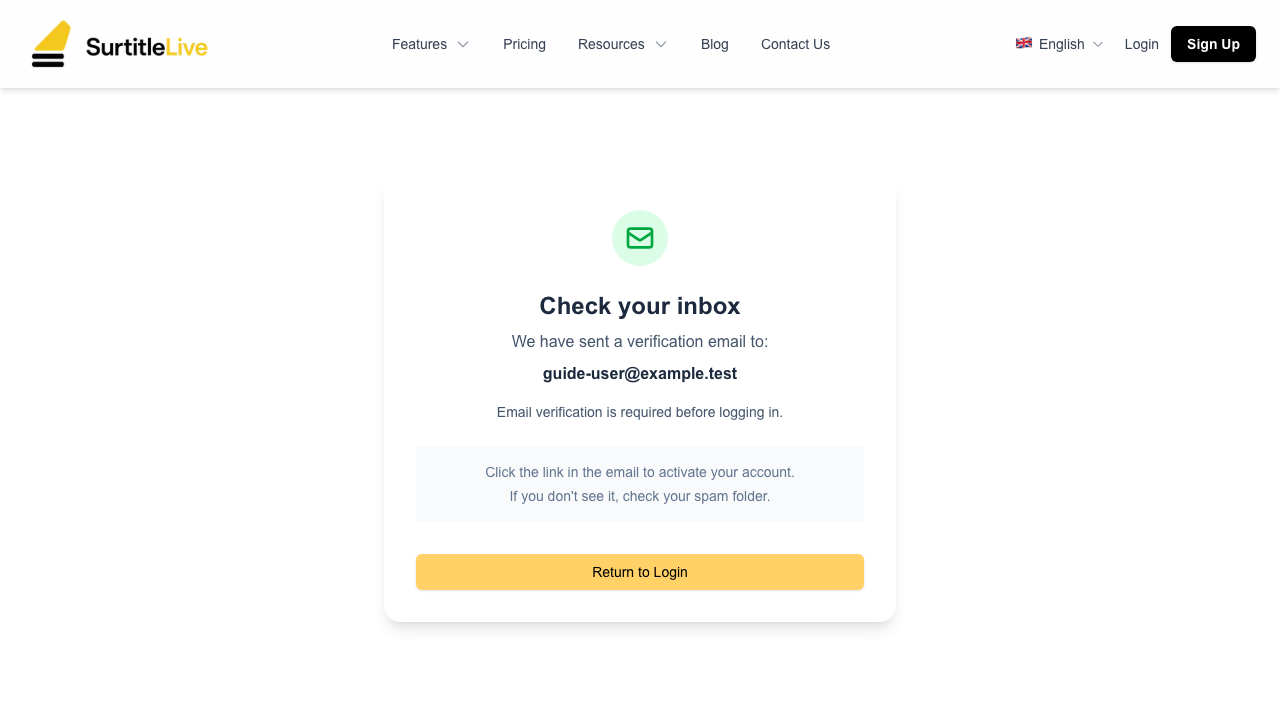
If you are trying to verify your email or the message has not arrived yet, this screen is the checkpoint. It confirms that a verification email was sent, shows the destination email when available, and reminds you that verification is required before you continue.
What to Expect on the Screen
- A success-style message telling you that the verification email was sent
- Your email address in bold if the page has it stored
- Short instructions to check your inbox and follow the link
- A
Return to Loginbutton that takes you back to Sign In
Recommended Verification Flow
- Keep the verification screen open in one browser tab
- Open your inbox for the email address you used during registration
- Find the Pockitle Cue verification email and open the verification link
- On the action page, click
Verify Emailto complete the one-time verification - Return to the platform and sign in from the login page if needed
If the Email Does Not Arrive
Check first: spam, junk, or promotions folders. The guide should not assume the message failed just because it is not in the primary inbox.
- Make sure you registered with the correct email address
- Do not create duplicate accounts with slight email variations unless support tells you to
- If the message still does not appear, contact support and include the address you registered with
FAQ
Common questions for this workflow, based on the current Pockitle Cue system.
How do I verify my email if the message does not arrive?+
Check spam or junk first, then confirm you registered with the correct address. If the message still does not arrive, contact support instead of creating a second account.
What does the verification page actually show me?+
It confirms that a verification message was sent, shows the stored destination email when available, and gives you a Return to Login button after you finish email verification.
Onboarding Workflow
Continue In This Workflow
Account setup, sign-in recovery, first project steps, and invitation acceptance for new users.
0.3 How to Reset Your Password in Pockitle Cue
Reset your password after clicking the email link and understand how the shared sign-in action page works.
0.4 First Login & Dashboard Overview
Get oriented with the dashboard, navigation, and mobile-device expectations.
0.5 Creating a New Project
Create a project, choose its status, and stay within active and archived project limits.