
0.8 How to Accept a Team Invitation
Accept a team invitation link, handle email verification, and fix the most common account-mismatch blockers.
Quick Guide
Where: The invite link sent by email
Main button: Join Team
Most common blocker: Signed in with the wrong email
What the page checks
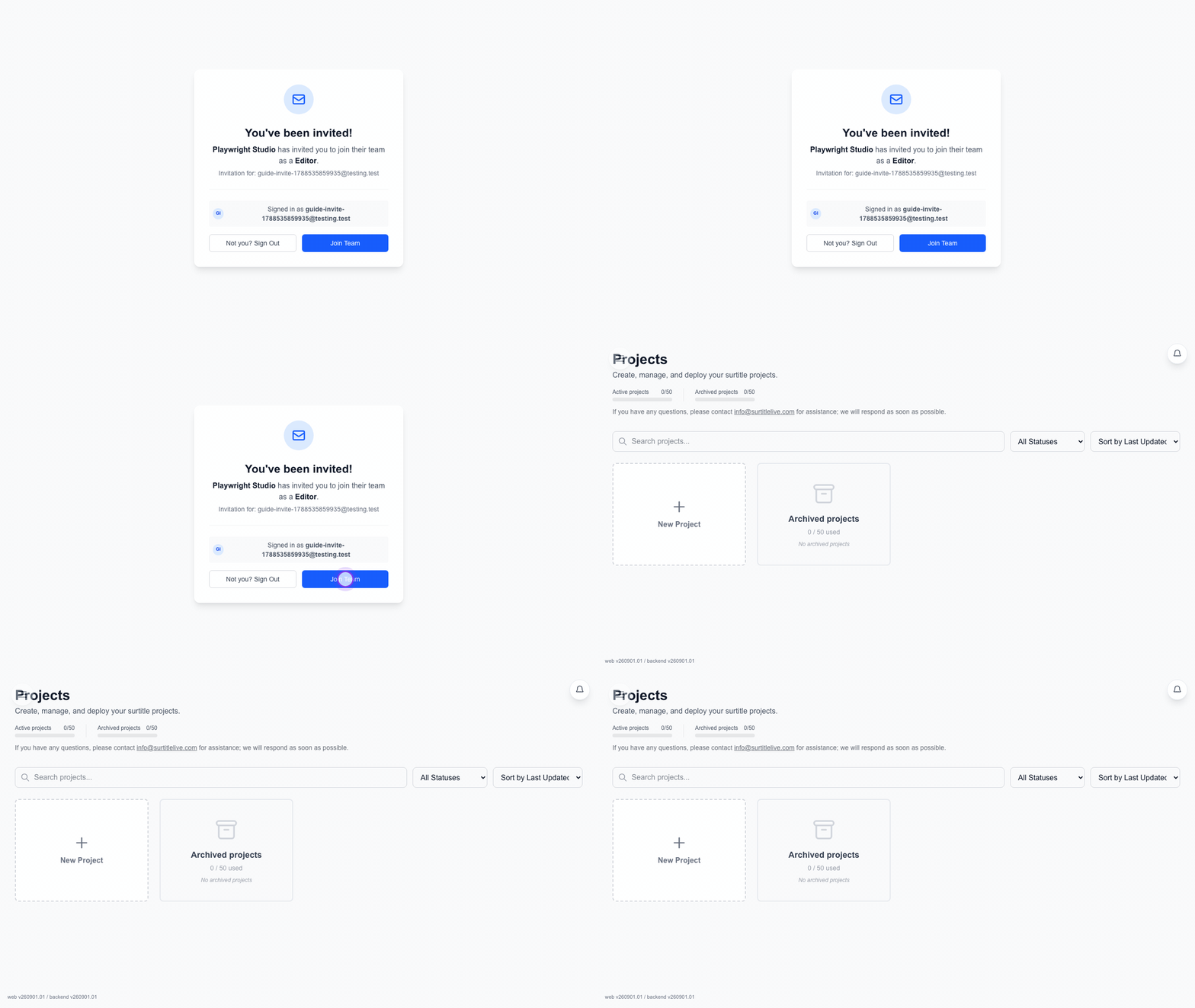
The invite page checks the token, the invited email, the signed-in account, and email verification.
Join with an existing account
- Open the invite link.
- If needed, sign in from Sign In.
- Check the banner near the top. It must show the invited email.
- If your email is not verified, finish verification first.
- Click
Join Teamin the main invite card.
Create the invited account first
If you do not have the invited account yet, the page can create it for you.
- The email field is fixed to the invited address.
- Enter Full name, accept the Terms of Service and Privacy Policy, then click
Create account & set up password. - Open the secure link sent to the invited mailbox and set your password there. Sign in, verify the email if prompted, then click
Join Team.
Important warnings
- Invitation Invalid means the link is no longer usable.
- Account mismatch means you are signed in with the wrong email.
- Please verify your email before joining the team. means the account exists but is not yet verified.
FAQ
Common questions for this workflow, based on the current Pockitle Cue system.
Why can't I accept my team invitation?+
The most common blockers are using the wrong email address, trying to join before verifying your email, or opening an invalid or expired invitation link.
Can I create an account directly from the invitation page?+
Yes. Enter your full name, accept the terms and privacy policy, and use the secure email link to set your password. Then sign in, verify your email if needed, and join the team.
Onboarding Workflow
Continue In This Workflow
Account setup, sign-in recovery, first project steps, and invitation acceptance for new users.
0.14 Security Alert Actions
Use sign-in alert links to confirm that a sign-in was yours or report it as suspicious.
1.1 How to Use Pockitle Cue: Quick Start Guide
Set up your account, upload a DOCX script, review translations, rehearse cues, and deploy your first show to projection screens and audience phones.
0.1 Creating Your Account
Register, verify your email, and understand the required profile details.