
0.7 Redeeming an Invitation Code
Redeem a trial or promo code from the Membership page if your account is eligible.
Quick Guide
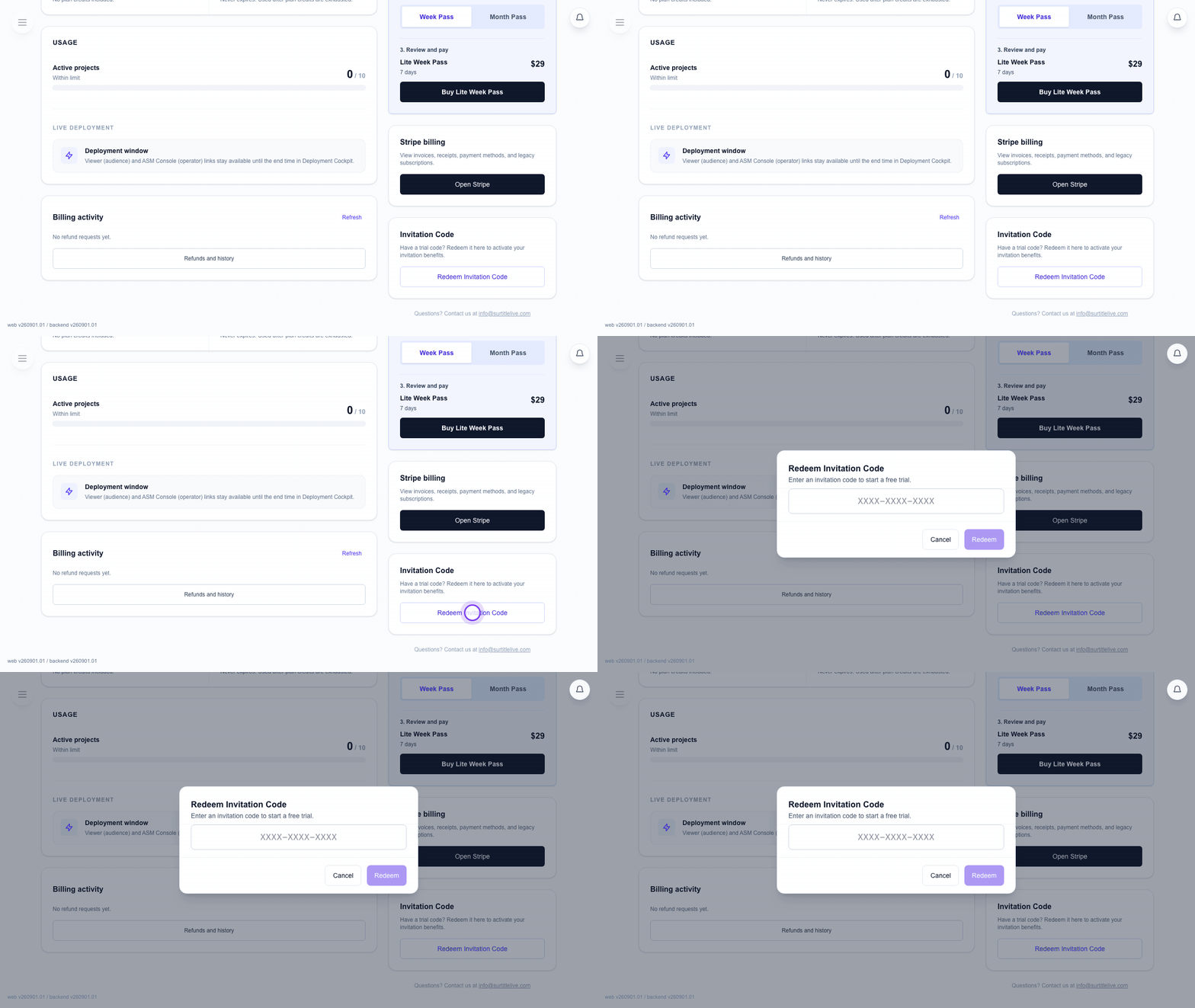
Open the code dialog
- Open
Membership & Billing. - Look in the right-side action cards for
Invitation Code. - Click
Redeem Invitation Code. - Enter the code and submit it.
If the code does not work
- Check the code characters first.
- If the page says the code was already used or expired, you need a new code.
- If the button is missing, your account or current tier may not be eligible.
FAQ
Common questions for this workflow, based on the current Pockitle Cue system.
Why won't my invitation code work on a paid account?+
Invitation codes are meant for eligible Free-tier accounts and cannot be stacked onto an active paid subscription.
Can one account redeem multiple codes?+
Normally an account cannot keep redeeming codes continuously. However, an admin can reopen Invitation Code Redemption for that tenant owner, which explicitly authorizes another redemption window once the account is back on the Free tier and has no active paid subscription.
Billing Workflow
Continue In This Workflow
Membership, credits, refund requests, codes, and organization or team-management actions tied to account administration.
0.9 Inviting Team Members
Invite collaborators, assign roles, and understand team limits on Pro and Pro+.
0.10 Managing Team Members
Change roles, disable access, or remove members from your organization.
0.11 Managing Organization Identity
Update your organization name as Owner and review the read-only organization ID.