
4上線演出
4.3 部署後如何更新現場字幕
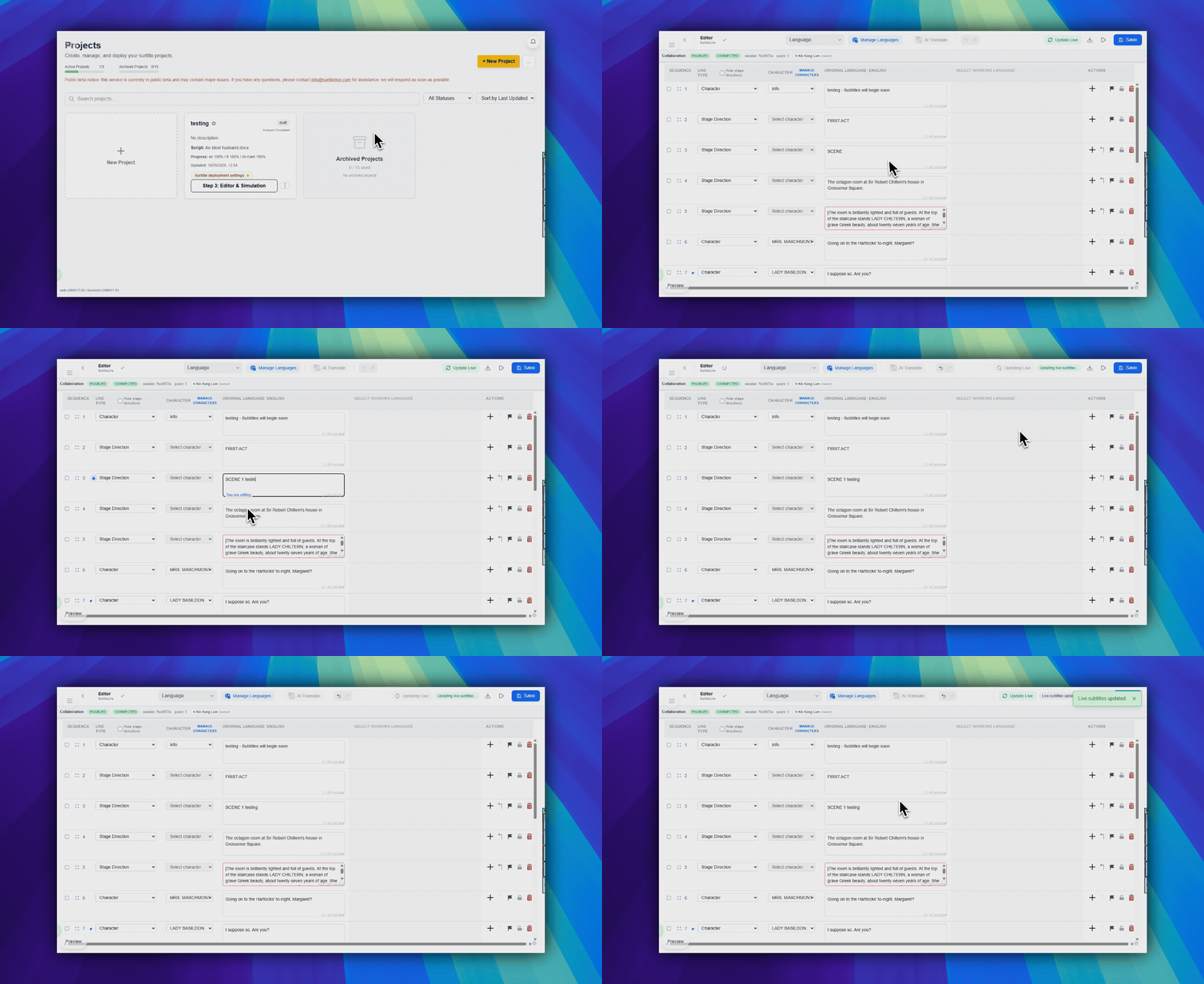
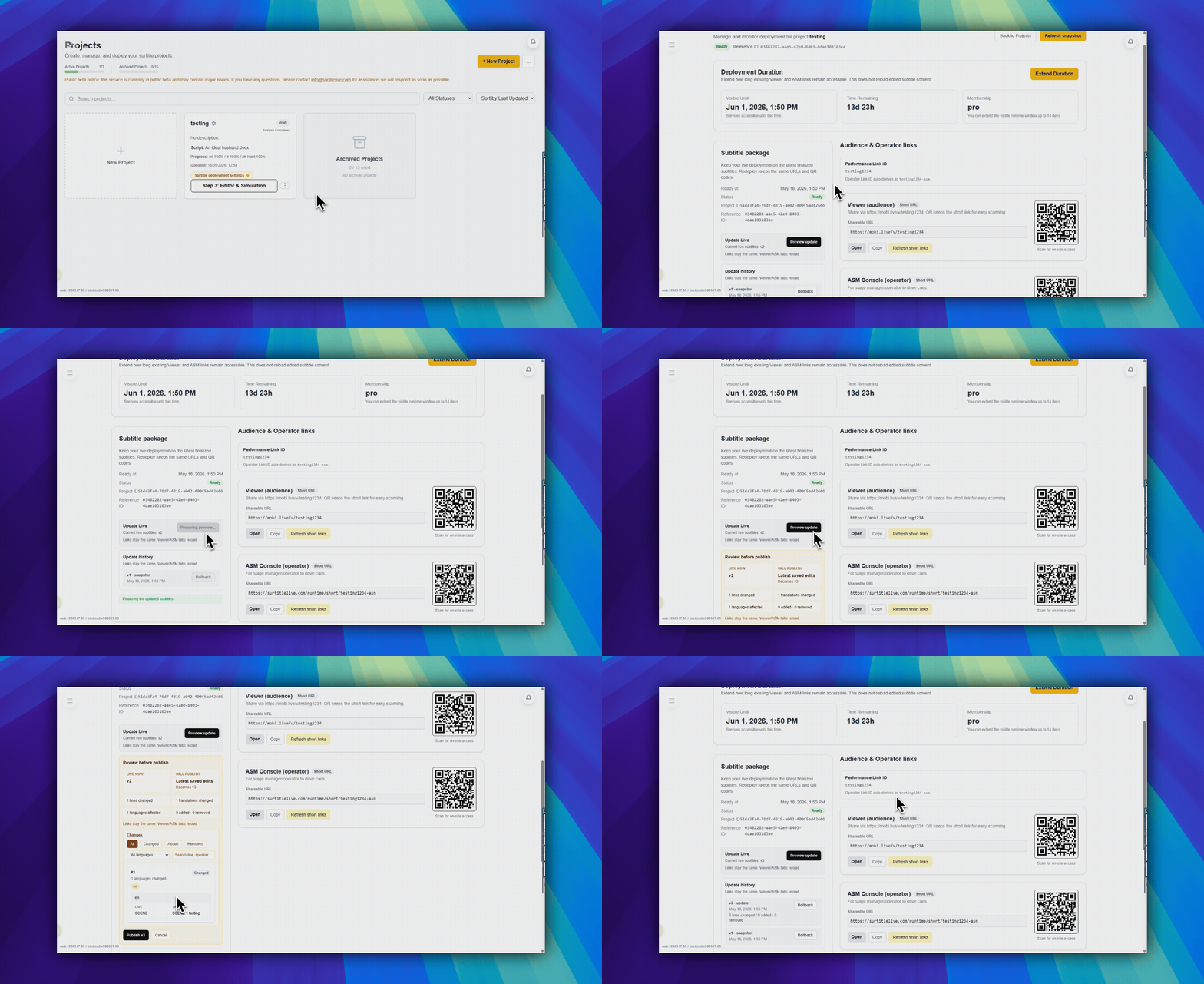
從 Editor 或 Deployment Cockpit 將 Editor 中最近儲存的字幕載入到使用中的部署;觀眾連結與 QR Code 不會變更。
目的:將 Editor 中最近儲存的文字重新載入到使用中的部署。
入口:Editor 右上角工具列中的 更新現場字幕,或 Deployment Cockpit 中的 更新即時字幕。
何時使用
當演出已經部署,而現場部署需要使用 Editor 中儲存的字幕修正時,使用此流程。
- 部署後在 Editor 中修正了錯字或換行。
- 排練後調整了一行翻譯。
- 演出前合併、拆分、重排或重寫了某個 cue。
- 使用中的 Viewer 和 Operator 連結應保持不變。
從 Editor 操作
- 以擁有者或管理員身分開啟 Editor。
- 進行字幕修改。
- 儲存 Editor 修改。
- 按一下右上角工具列中的
更新現場字幕。只有專案已有使用中的部署時,此按鈕才會顯示。 - 在更新對話方塊中確認。
從 Deployment Cockpit 操作
- 開啟 Deployment Cockpit。
- 在主要部署操作區域找到
更新即時字幕。 - 按一下並確認更新。
哪些會變更,哪些保持不變
| 已更新 | 不變 |
|---|---|
| 使用中的部署所使用的字幕套件。 | Viewer 連結。 |
| 更新套件中包含的 Editor 中最近儲存的文字、行分組方式和翻譯。 | Operator 連結。 |
| 更新完成後的執行階段資料。 | QR Code。 |
| 部署時長和操作員密碼,除非你另外變更它們。 |
重要限制
- 這不是在 ASM 內編輯文字。
- 未儲存的 Editor 修改不會包含在內。
- Viewer 連結、QR Code 和 ASM 連結保持不變。
- 在臨近演出時使用之前,請先排練此路徑。
常見問題
依據目前 SurtitleLive 系統整理的此工作流程常見問題。
Is this an Operator Cockpit function?+
No. The Operator Cockpit controls live cue state. Save in Editor, then use Update Live in the editor or Update Live Subtitles in Deployment Cockpit.
Does Update Live Subtitles change the viewer link or QR code?+
No. It loads the latest saved Editor subtitle package into the active deployment while keeping the existing Viewer and Operator links and QR codes.
Do unsaved Editor edits get pushed?+
No. Save the Editor changes first, then run Update Live Subtitles. Treat the update as a deliberate deployment operation, not inline show-time text editing.