
2.3 Editing Lines & Roles
Edit rows, review line history, and refine individual translations with AI.
Know what each column edits
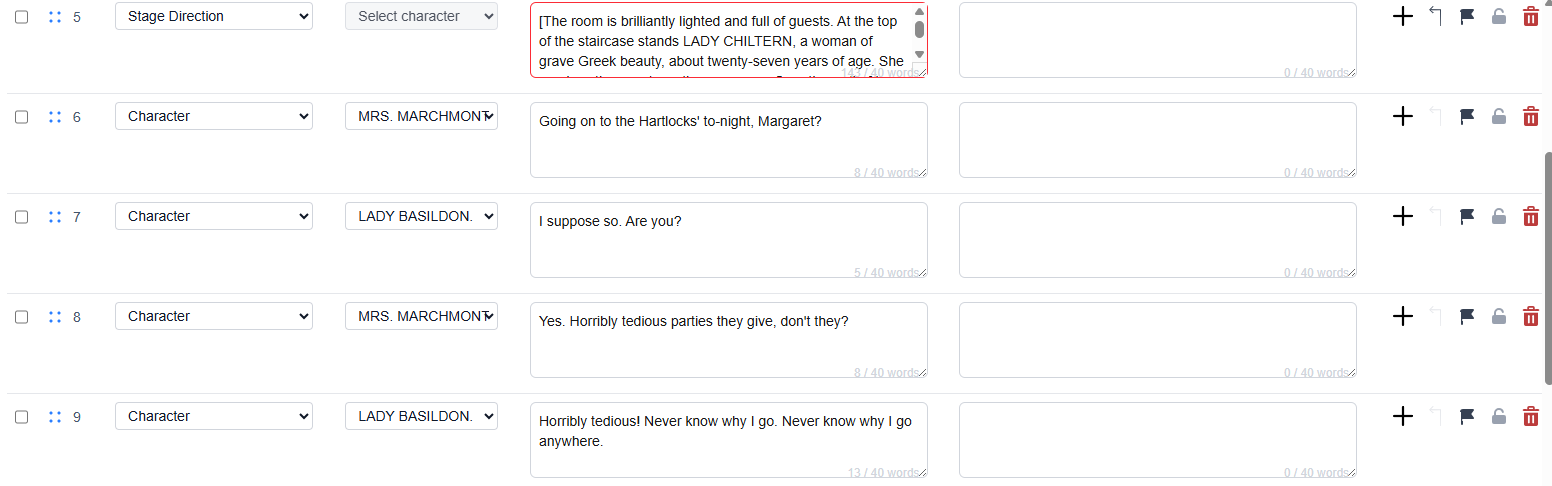
- Sequence: checkbox for batch selection, drag handle for reordering, and the visible cue number.
- Type: a dropdown for Character, Stage Direction, or Accessibility caption (for sounds or other access information).
- Character: a dropdown. Choose an existing character or + Add new character.
- Main Language: source text in a textarea.
- Working Language: the currently selected translation language in a textarea.
- Actions: the first row has add, merge up, flag, lock, and delete. The second row has line history and single-line AI refinement.
Edit safely
- Text edits happen inside the source or working-language textareas.
- Type and character are dropdown fields, not free-text cells.
- For an Accessibility caption, describe the sound or access information in Main Language, fill the Working Language for each language you plan to show, then save. The output adds square brackets automatically.
- The character dropdown is disabled for Stage Direction and Accessibility caption rows. Changing a Character row to either type clears its character.
- If a row is locked or translation is running, some controls may be disabled.
Use row actions
- Use the checkbox on the far left only when you need to delete several rows together.
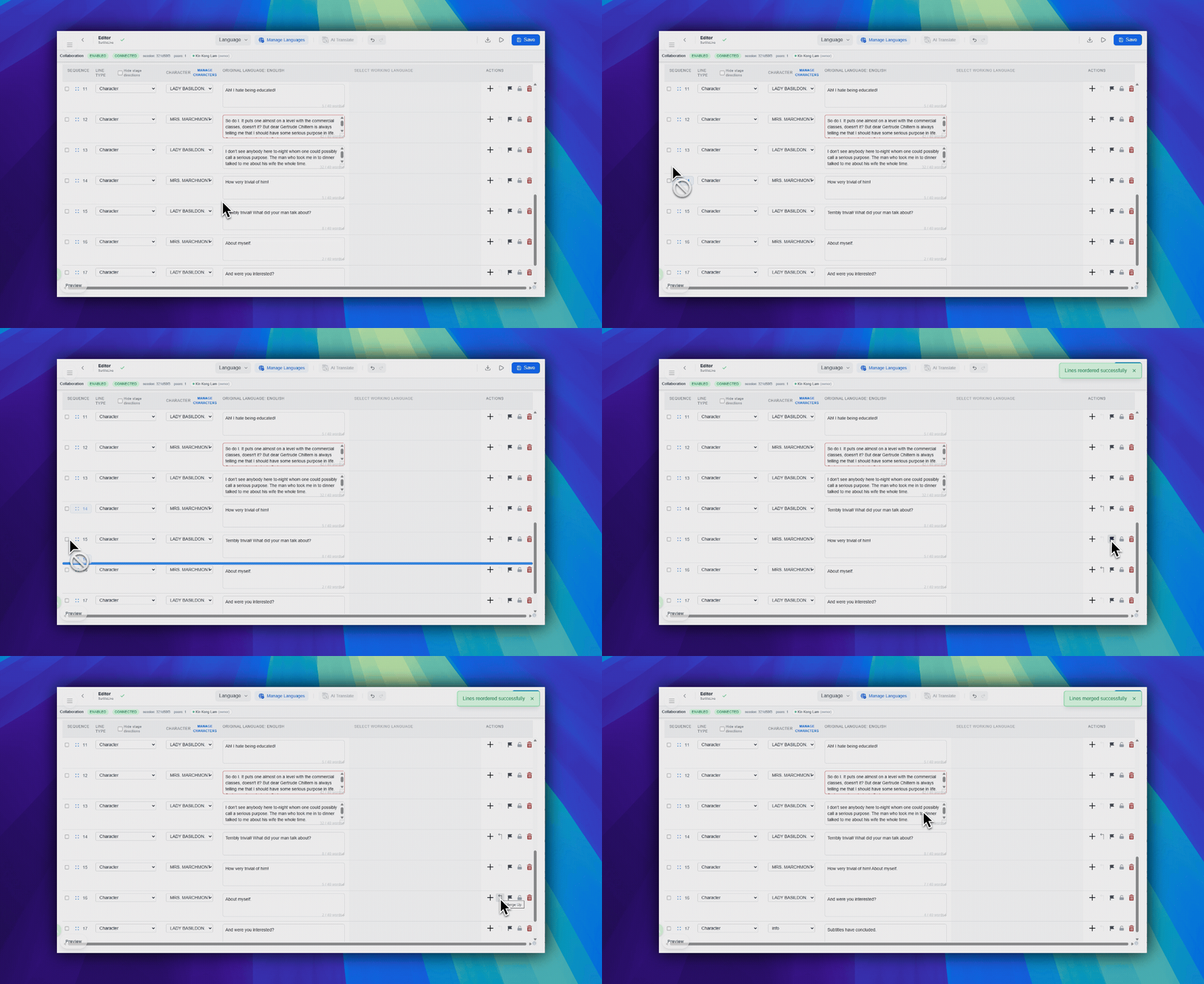
- Use the grip handle near the sequence area to drag a row to a new sequence position.
- Use the row-end action icons on the far right for add, merge up, flag, lock, and delete.
- Use the clock icon to review saved source and working-language history. Scroll or load earlier entries when a line has many changes.
- Use the wand icon to refine the current translation. Generate a suggestion, review it, then apply it separately.
History and AI refinement
- Line history includes saved manual edits and full-script AI translation overwrites.
- AI refinement needs source text and a working language. Its optional instruction is limited to 100 characters.
- The estimate is shown before generation. Credits are charged when a suggestion is generated, not when you apply it.
Save behavior
Pockitle Cue saves while you work. The save-status indicator in the top-left area shows whether changes are saving, saved, or retrying. Use Save in the top-right area when you want to push pending changes immediately.
FAQ
Common questions for this workflow, based on the current Pockitle Cue system.
Can I merge or reorder cues manually?+
Yes. You can reorder rows by drag and drop, and you can merge lines using the available row and toolbar controls when the line types are compatible.
What do flag and lock actually do?+
Flag marks a line for review, while lock prevents accidental edits until the row is unlocked again.
Deployment Workflow
Continue In This Workflow
Script preparation, translation workflow, live deployment, operator control, and runtime troubleshooting.
2.4 Adding & Managing Languages
Prepare up to 20 translated languages, then choose plan-limited live languages at finalization.
2.5 Using AI Translation
Choose the editor working language, confirm the original language, and select the translation mode and method.
2.6 Writing Effective Translation Prompts
Write better AI prompt instructions for tone, rhythm, subtext, and stage intent.