
4.4 Using the Operator Cockpit
Run live theatre subtitle cues from the Pockitle Cue Operator Cockpit, manage Intermission and blackout states, and control what audiences see.
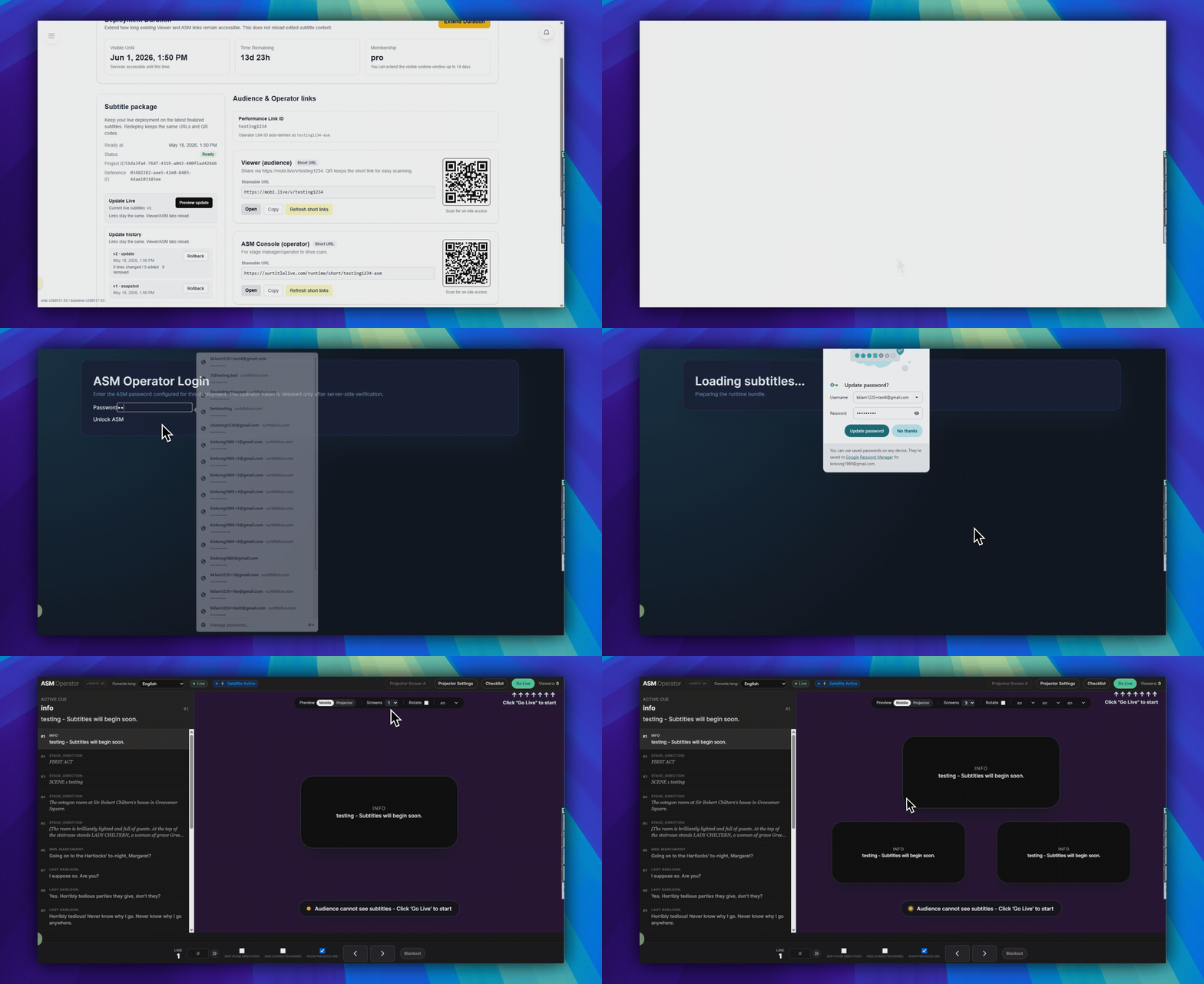
Open the ASM link
Use the operator link from Deployment Cockpit, not the public viewer link.
- Open
Audience & Operator linksin Deployment Cockpit. - Open
ASM Console (operator). - On
ASM Operator Login, enter the operator password. - Click
Unlock ASM.
Read the live screen
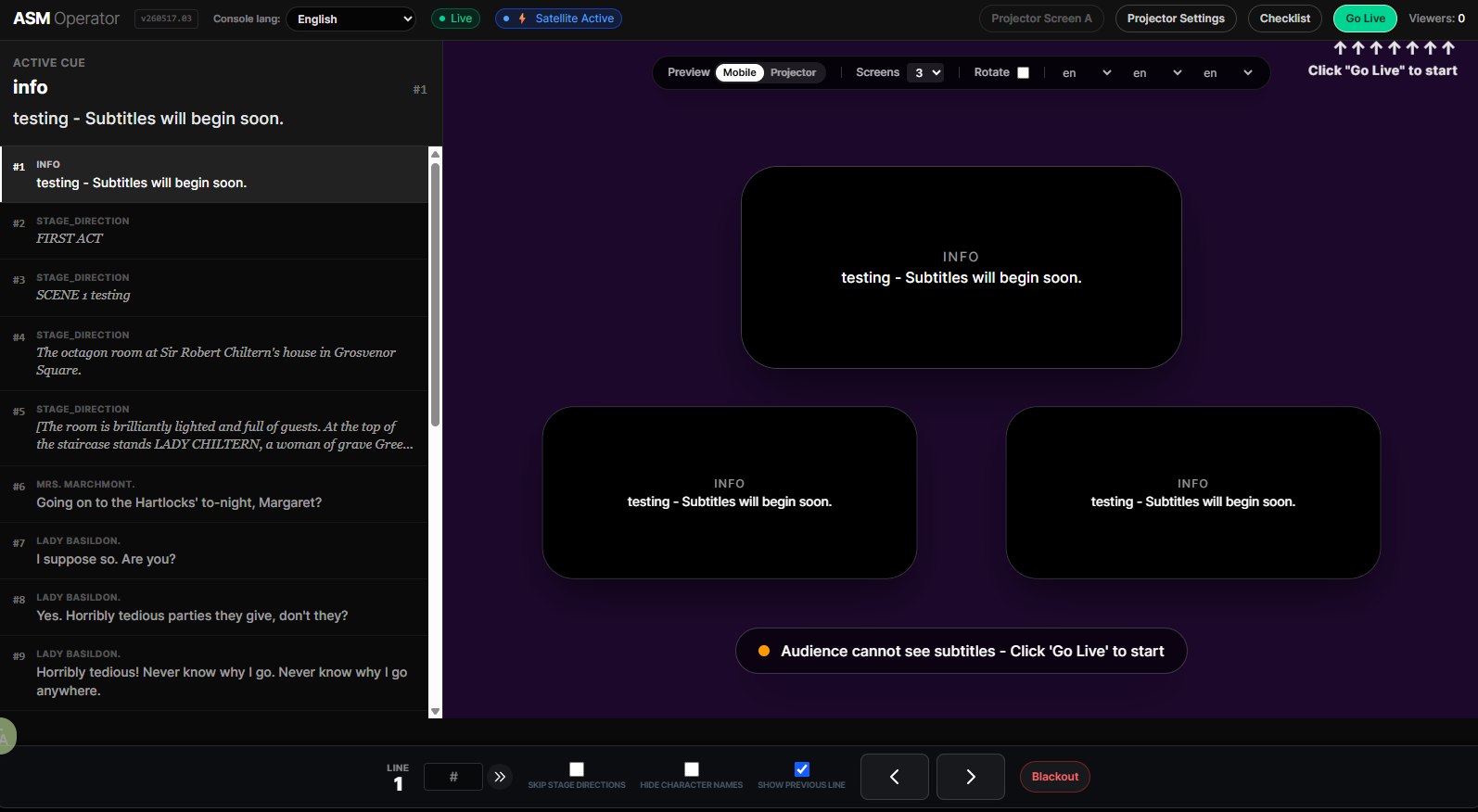
- The header shows
ASM Operatorand the live state. - The top bar shows the current viewer count as
Viewers:. - The center area shows the active cue preview.
- The lower control bar shows
Lineand the live cue controls.
Use the live controls
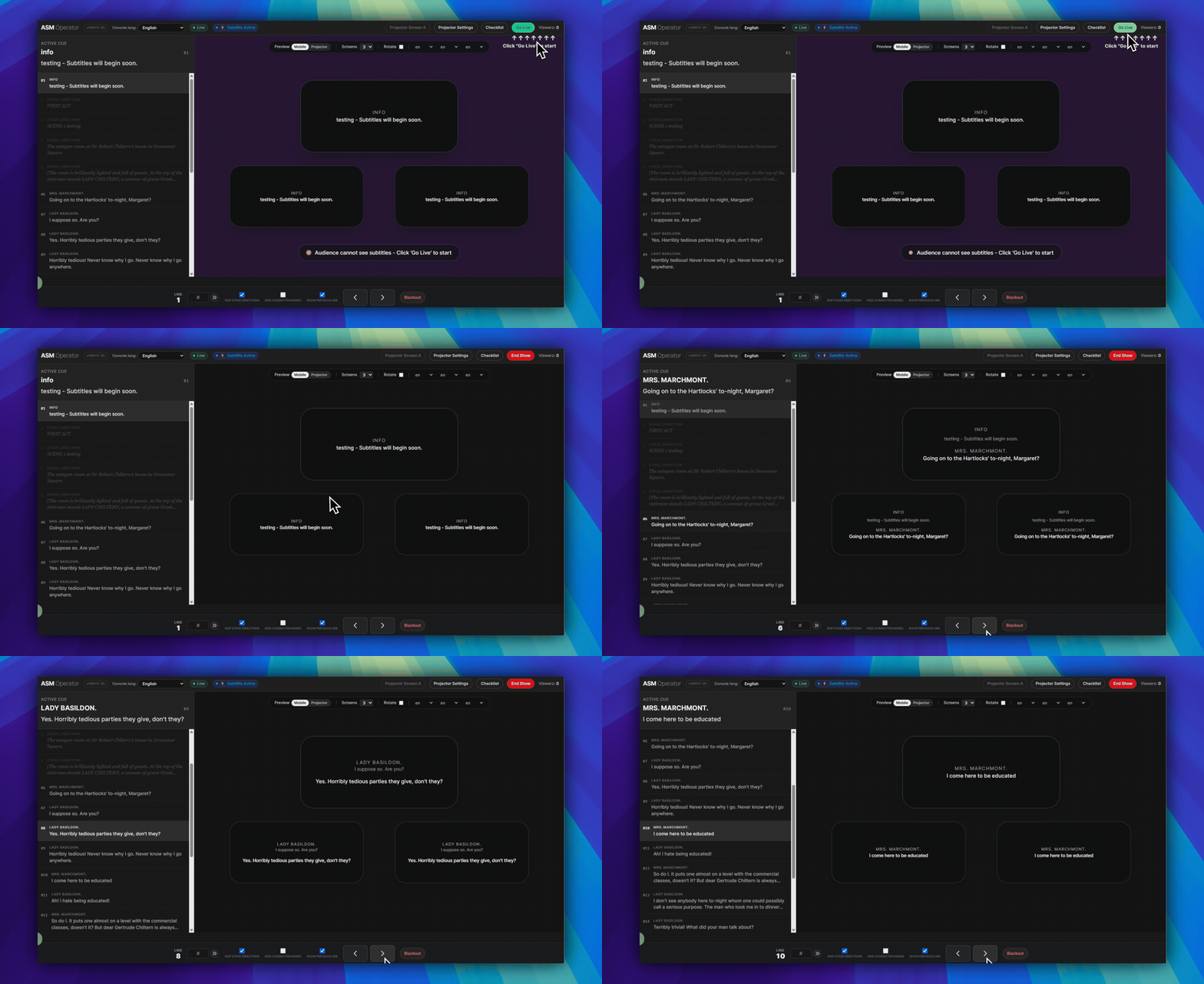
PreviousandNextsit in the lower control bar and move one cue at a time.- The
#field in the lower control bar jumps to a line number. Blackoutin the lower left area hides the output until you resume.Skip Stage DirectionsandHide Character Namesare checkbox controls in the lower center area.- Use
Go Livein the upper-right control area when the audience should start receiving subtitles.
Use Intermission for a planned break
- Before Go Live, the header shows
Checklist. While the show is live, that button becomesIntermission. - Click
Intermissionto start a 20-minute countdown. Use+5 minas many times as the performance needs. - Click
End intermissionwhen the show resumes. Normal 30-minute ASM absence protection then starts again. - After
End Show, the pre-showChecklistreturns.
Projection and boundary notes
- Projector controls live in the same ASM surface through
Projector Settingsand the projector screen links such asProjector Screen A. - The ASM Console controls cue state. It does not reload saved editor text.
- For saved text changes, use Update Live Subtitles.
- Use one primary operator during the show. Test any backup-device handoff before the audience enters.
FAQ
Common questions for this workflow, based on the current Pockitle Cue system.
What login do I use for the operator cockpit?+
Open the Operator Link and unlock it with the operator password configured during deployment.
Can the Operator Cockpit update saved script text?+
No. Use the Operator Cockpit for cue control, jump recovery, blackout, and output state. To load saved Editor changes into a deployment, use Update Live in the editor or Update Live Subtitles in Deployment Cockpit.
Deployment Workflow
Continue In This Workflow
Script preparation, translation workflow, live deployment, operator control, and runtime troubleshooting.
5.1 Projection and Mobile: What Each Output Does
Understand how room-visible projection and audience-phone subtitles differ, and why many shows use both from the same live cue state.
5.2 Using Projector Settings
Configure the preset, prepare projector subtitles, save, and return to ASM.
5.3 Preparing Projection Mode for Showtime
Prepare Projection Mode before performance, test already-open local projection continuity, and understand what this does not cover.