
5.1 Projection and Mobile: What Each Output Does
Understand how room-visible projection and audience-phone subtitles differ, and why many shows use both from the same live cue state.
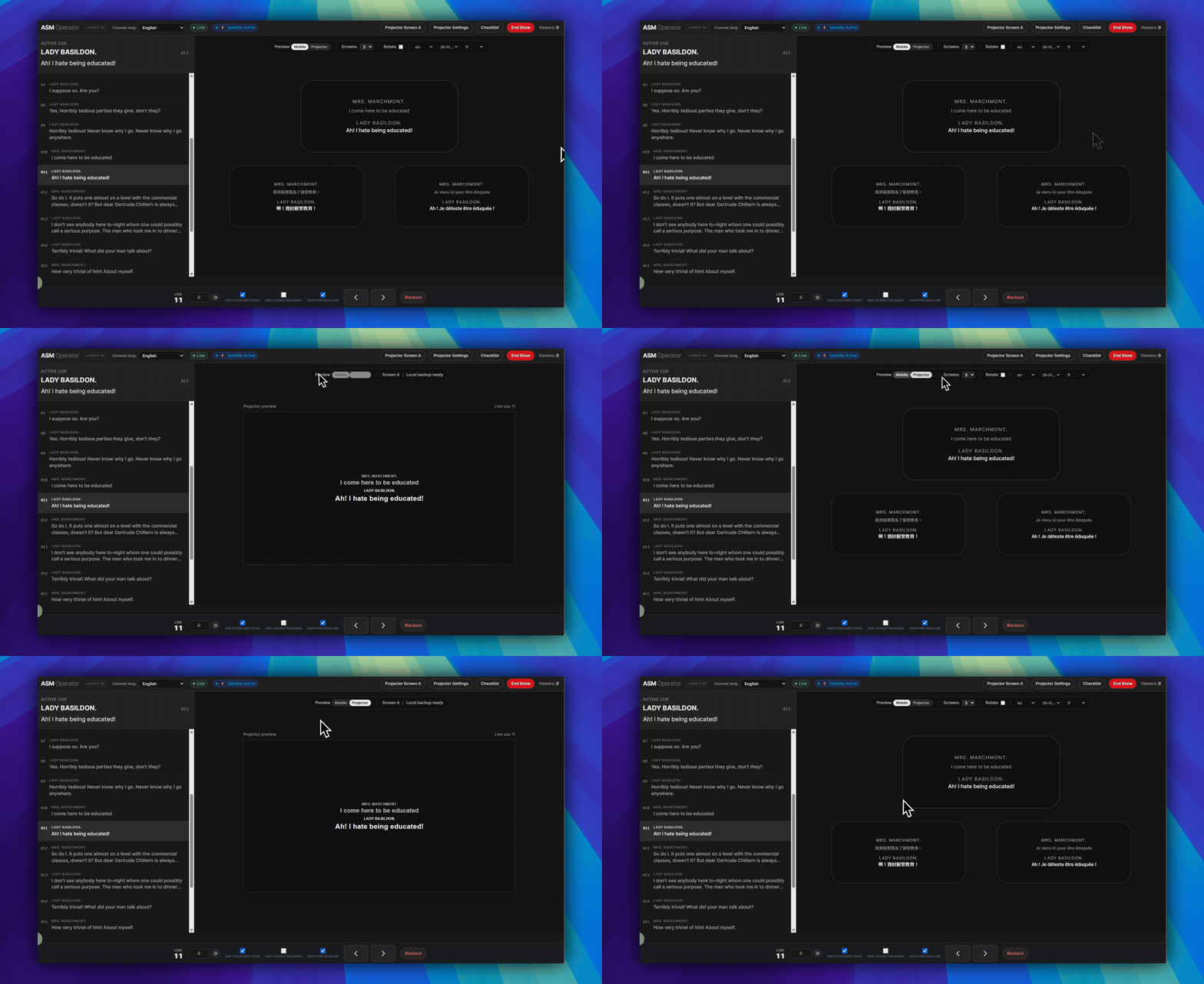
Simple rule: Projection is for the room. Mobile is for each audience member's phone.
They can run together: One live cue state can drive both outputs, but they do not have the same delivery path or the same network behavior.
Projection
- Projection is the room-visible subtitle output.
- Use it when the audience should read one shared screen.
- Projector output uses
Projector Settings,Projector Screen A, and the projector window. - If ASM and the projector window were already open, projected text may keep responding after venue internet loss.
Mobile
- Mobile is the personal subtitle view on each audience phone.
- Use it when the audience needs personal reading distance, language choice, or a no-app browser flow.
- Mobile viewers join through the
Viewer (audience)link or QR code. - Mobile surtitles stay cloud-delivered. If the venue has no internet, phones will not keep receiving subtitles.
When to use both
- Use both when the room needs a shared projected line and some viewers also need phone access.
- Use both when one audience group follows the stage screen and another needs a different reading position or language.
- The same ASM cue state can keep both outputs aligned during the show.
Important boundary
- If ASM and the projector window were already open, projected text may keep responding after venue internet loss.
- Audience phones do not get that same protection.
- If the venue has no internet, mobile surtitles will not keep reaching phones.
What to read next
- For the projector setup itself, continue with Using Projector Settings.
- For prepared local projection continuity and the in-ASM
Checklistfor both phone and projector caption checks, continue with Preparing Projection Mode for Showtime. - For audience-phone entry, continue with How Audiences Join with a Viewer Link or QR Code.
FAQ
Common questions for this workflow, based on the current SurtitleLive system.
What is the difference between Projection and Mobile in SurtitleLive?+
Projection is the room-visible output on a projector or LED screen. Mobile is the personal browser-based viewer on audience phones. They can run from the same live cue state, but they are not the same output path.
Which output is more resilient during venue internet loss?+
If ASM and the projector window were already open, projected text may keep responding after venue internet loss. Phones will not.
If Projection is still working, will phones keep receiving subtitles too?+
No. Projector continuity and mobile delivery are separate. If the venue has no internet, phones will not keep receiving mobile surtitles just because the already-open projector window is still responding.
Deployment Workflow
Continue In This Workflow
Script preparation, translation workflow, live deployment, operator control, and runtime troubleshooting.
5.2 Using Projector Settings
Configure the preset, prepare projector subtitles, save, and return to ASM.
5.3 Preparing Projection Mode for Showtime
Prepare Projection Mode before performance, test already-open local projection continuity, and understand what this does not cover.
5.4 QLab control for ASM and Viewer sync (Beta)
After deployment, enable QLab control in ASM, import the QLab Projection Pack, connect the local bridge, and rehearse QLab-driven ASM and Viewer cue sync.