
0帳號與設定
0.1 建立帳戶
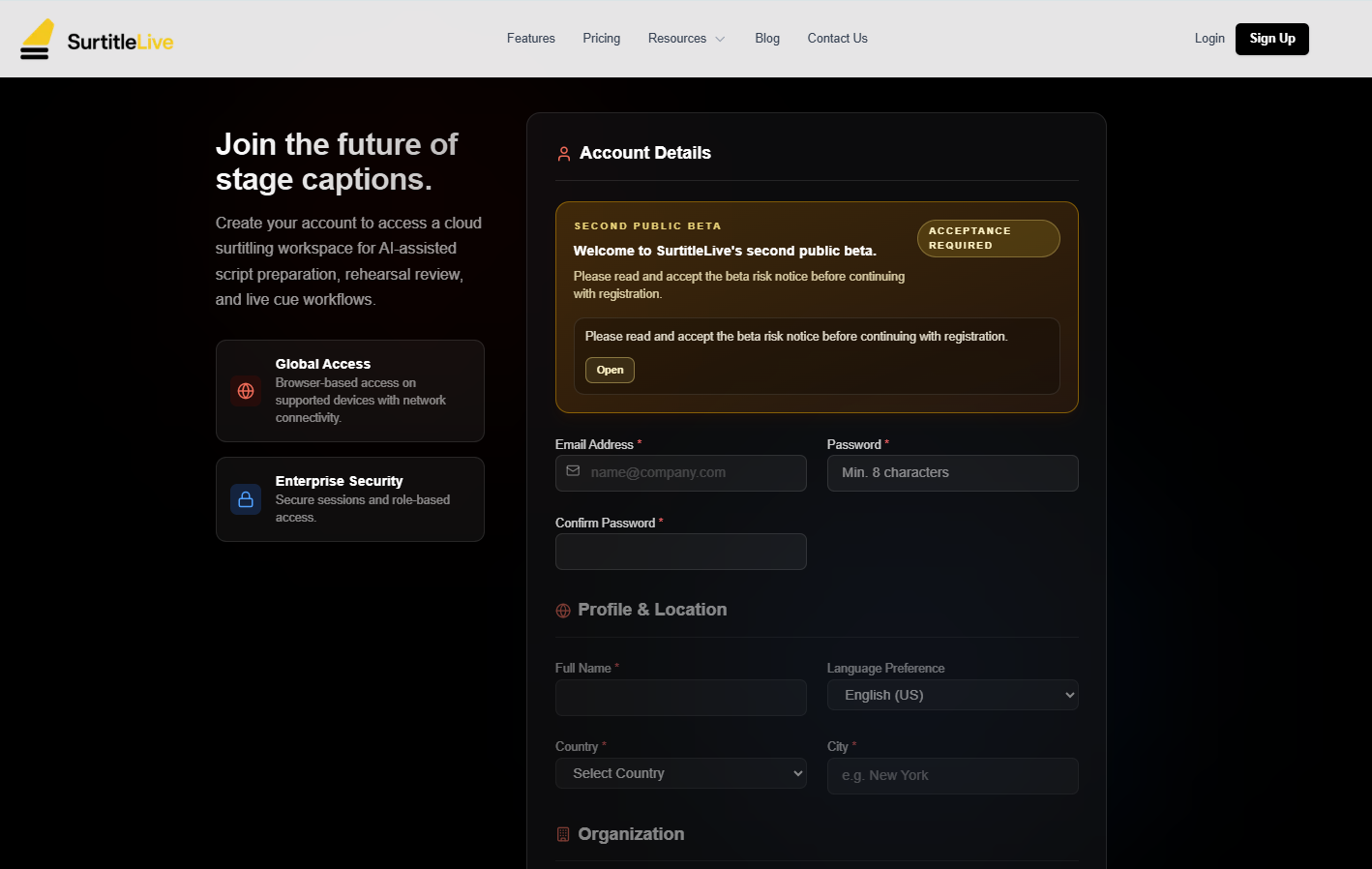
完成註冊、驗證電子郵件,並填妥所需的個人資料資訊。
⚡ 快速指南
入口:/auth/register,或網站上的 註冊 按鈕
開始前:先檢視註冊表單,並在提交前同意服務條款與隱私權政策
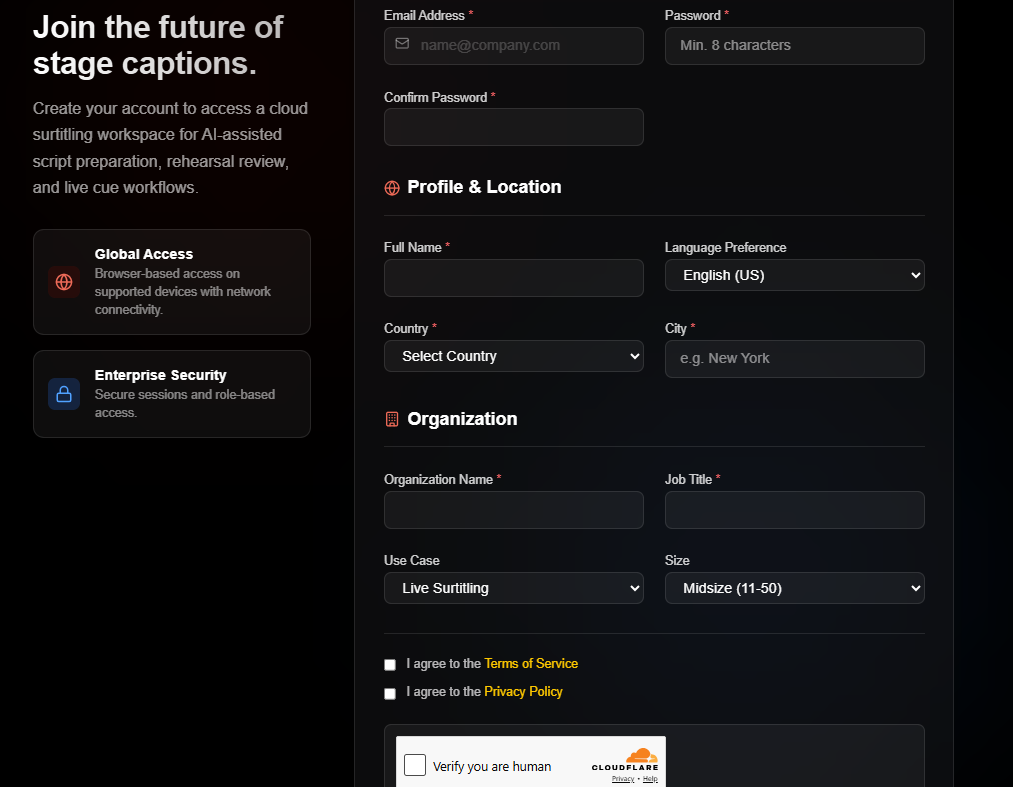
主要欄位:電子郵件、密碼、確認密碼、姓名、國家、城市、組織名稱、職稱
提交後:開啟驗證電子郵件,並在 驗證電子郵件 頁面完成電子郵件驗證
開啟註冊頁面
前往 /auth/register。你也可以從公開的 註冊 按鈕開始。
填寫表單
- 填寫
電子郵件、密碼和確認密碼。 - 填寫
姓名、國家和城市。 - 填寫
組織名稱和職稱。 - 檢查選填選項,例如
語言偏好、用例和組織規模。 - 勾選
服務條款和隱私權政策核取方塊。
密碼提示:註冊頁面會在密碼欄位下方顯示強度檢查清單。提交前,請確認符合畫面列出的要求。
提交註冊並驗證電子郵件
點擊 建立帳戶。若畫面顯示 Turnstile 驗證,請先完成驗證。
- 開啟傳送到註冊地址的驗證電子郵件。
- 點擊連結前往操作頁面。
- 點擊
驗證電子郵件。 - 使用
返回登入,或繼續返回應用程式。
常見問題
依據目前 SurtitleLive 系統整理的此工作流程常見問題。
Do I need a registration code?+
No. The registration form is open. Create your account with your email address, organization details, and the standard Terms and Privacy acknowledgements.
What should I do if the verification email does not arrive?+
Check your spam folder first, then confirm you entered the correct email address. If it still does not arrive, contact support.