
4上线演出
4.3 部署后如何更新现场字幕
从 Editor 或 Deployment Cockpit 将最新保存的字幕加载到正在运行的部署中,同时不更改观众链接或二维码。
目的:将最新保存的 Editor 文本重新加载到活动部署中。
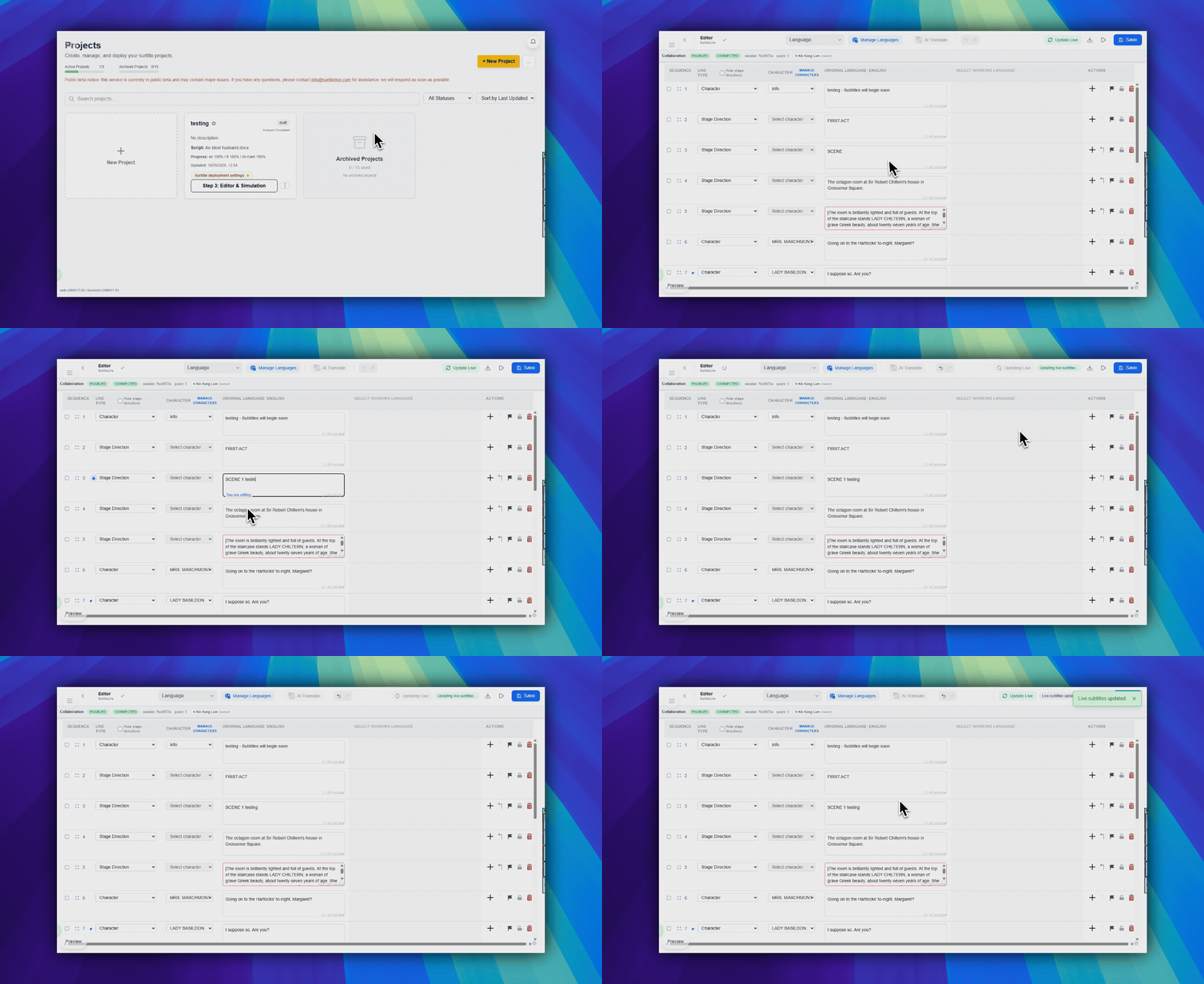
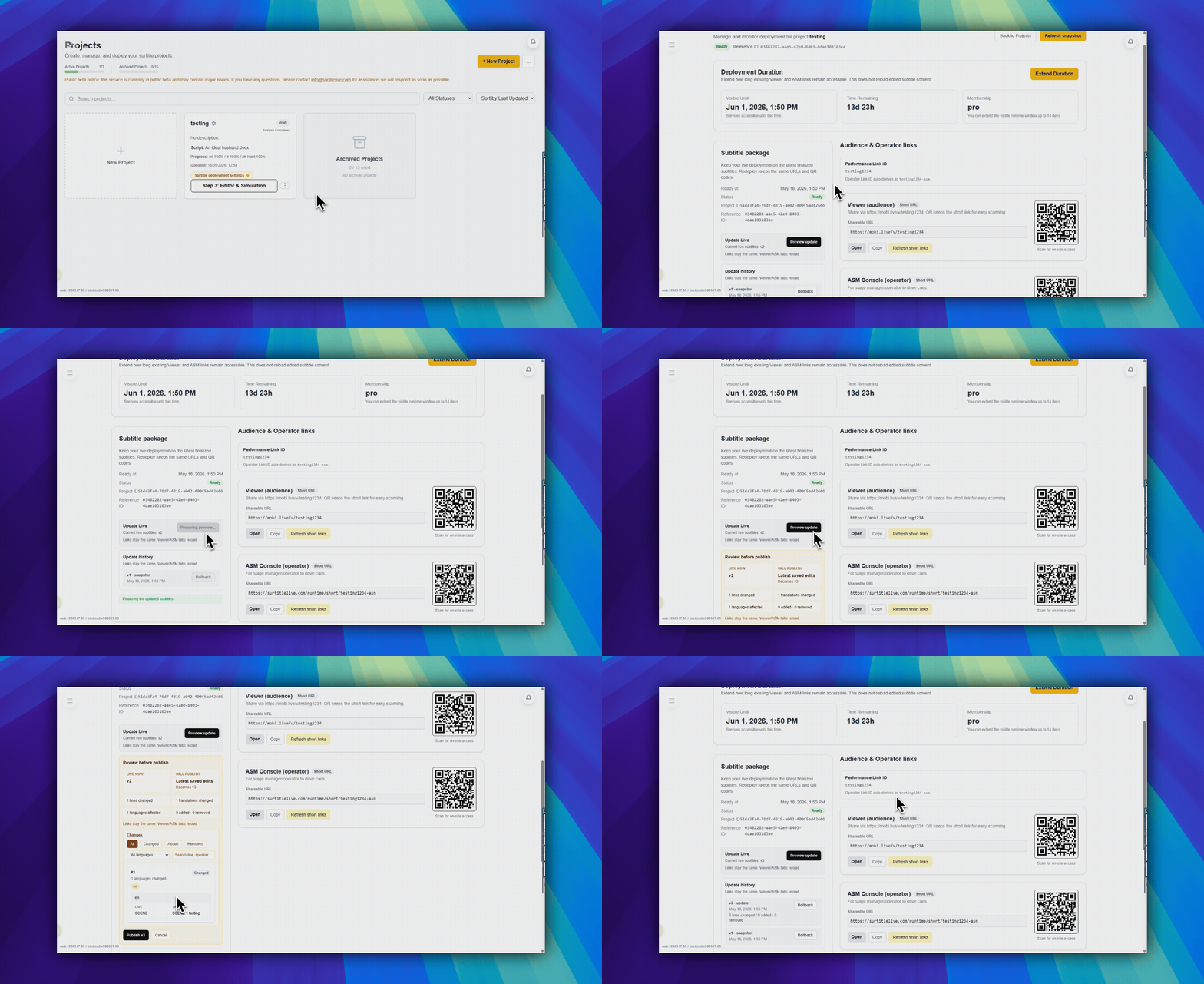
入口:Editor 右上角工具栏中的 更新现场字幕,或 Deployment Cockpit 中的 更新实时字幕。
何时使用
当演出已经部署,而现场部署需要使用 Editor 中保存的字幕修正时,使用此流程。
- 部署后在 Editor 中修正了错字或换行。
- 排练后调整了一行翻译。
- 演出前合并、拆分、重排或重写了某个 cue。
- 活动的 Viewer 和 Operator 链接应保持不变。
从 Editor 操作
- 以所有者或管理员身份打开 Editor。
- 进行字幕修改。
- 保存 Editor 修改。
- 点击右上角工具栏中的
更新现场字幕。只有项目已经有活动部署时,此按钮才会显示。 - 确认更新对话框。
从 Deployment Cockpit 操作
- 打开 Deployment Cockpit。
- 在主要部署操作区域找到
更新实时字幕。 - 点击并确认更新。
哪些会变化,哪些保持不变
| 已更新 | 不变 |
|---|---|
| 活动部署使用的字幕包。 | Viewer 链接。 |
| 更新包中包含的已保存 Editor 文本、行分组和翻译。 | Operator 链接。 |
| 更新完成后的运行时数据。 | 二维码。 |
| 部署时长和操作员密码,除非你单独更改它们。 |
重要边界
- 这不是在 ASM 内编辑文本。
- 未保存的 Editor 修改不会包含在内。
- Viewer 链接、二维码和 ASM 链接保持不变。
- 在临近演出时使用之前,请先排练此路径。
常见问题
基于当前 SurtitleLive 系统整理的此工作流程常见问题。
Is this an Operator Cockpit function?+
No. The Operator Cockpit controls live cue state. Save in Editor, then use Update Live in the editor or Update Live Subtitles in Deployment Cockpit.
Does Update Live Subtitles change the viewer link or QR code?+
No. It loads the latest saved Editor subtitle package into the active deployment while keeping the existing Viewer and Operator links and QR codes.
Do unsaved Editor edits get pushed?+
No. Save the Editor changes first, then run Update Live Subtitles. Treat the update as a deliberate deployment operation, not inline show-time text editing.