
5投影与手机
5.1 投影与手机:每种输出的作用
了解面向全场可见的投影字幕与观众手机字幕有何不同,以及为什么许多演出会从同一个现场 cue 状态同时驱动两种输出。
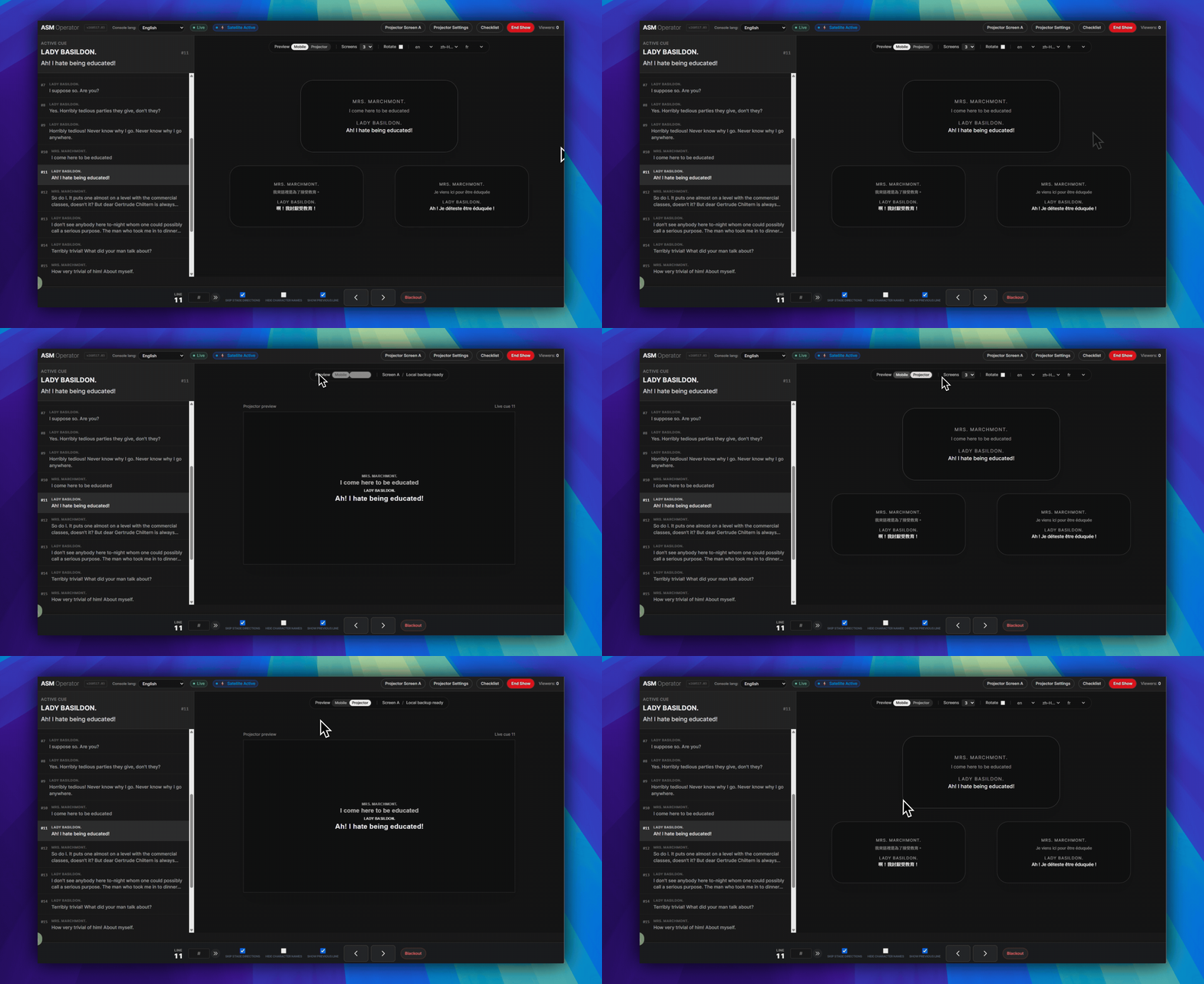
简单规则:投影面向整个场馆。手机字幕面向每位观众自己的手机。
两者可以同时运行:同一个现场 cue 状态可以驱动两种输出,但它们的传递方式和网络运行方式并不相同。
投影
- 投影是场地内可见的字幕输出。
- 当观众需要阅读同一个共享屏幕时使用投影。
- 投影仪输出使用投影仪设置、投影仪屏幕 A 和投影仪窗口。
- 如果 ASM 和投影仪窗口已经打开,场地互联网中断后,投影文字可能仍会继续响应。
手机
- 手机是每位观众手机上的个人字幕画面。
- 当观众需要个人阅读距离、语言选择,或无需安装 App 的浏览器流程时使用手机字幕。
- 手机端 Viewer 通过观众 Viewer 链接或 QR 码加入。
- 手机字幕仍通过云端传递。如果场馆没有互联网,手机将无法继续接收字幕。
何时同时使用
- 当场地需要共享投影字幕,同时部分观众也需要手机访问时,同时使用两者。
- 当一组观众看舞台屏幕,另一组需要不同阅读位置或语言时,同时使用两者。
- 同一个 ASM cue 状态可以在演出期间保持两种输出同步。
重要限制
如果 ASM 和投影仪窗口已经打开,场馆互联网中断后,投影文字可能仍会继续响应。观众手机没有同样的保护。如果场馆没有互联网,手机字幕将无法继续传送到手机。
接下来阅读
- 如需设置投影仪本身,请继续阅读 使用投影仪设置。
- 如需了解已准备好的本地投影连续性,以及 ASM 内用于手机和投影仪字幕检查的 checklist,请继续阅读 为演出时间准备 Projection Mode。
- 如需了解观众手机进入方式,请继续阅读 观众如何通过 Viewer 链接或 QR 码加入。
常见问题
基于当前 SurtitleLive 系统整理的此工作流程常见问题。
What is the difference between Projection and Mobile in SurtitleLive?+
Projection is the room-visible output on a projector or LED screen. Mobile is the personal browser-based viewer on audience phones. They can run from the same live cue state, but they are not the same output path.
Which output is more resilient during venue internet loss?+
If ASM and the projector window were already open, projected text may keep responding after venue internet loss. Phones will not.
If Projection is still working, will phones keep receiving subtitles too?+
No. Projector continuity and mobile delivery are separate. If the venue has no internet, phones will not keep receiving mobile surtitles just because the already-open projector window is still responding.
部署工作流程
继续此工作流程
剧本准备、翻译流程、现场部署、操作员控制和运行时排查。